Classical AI Tests
Classical AI tests evaluate model performance by analyzing predictions on input data. These tests work with tabular data and can assess both classification and regression tasks. Test results are evaluated by comparing predictions against ground truth values.
Validaitor provides predefined tests organized into categories based on the type of evaluation they perform. Each category focuses on different aspects of model quality and behavior.
In the following sections, details about adding a classical AI test will be given. As a shortcut, you can also watch the video guide
Prerequisites
Before running a test, you need to complete two essential steps:
- Create a test dataset and upload a version
- Create an AI model and upload a version
For detailed instructions on these prerequisites, refer to the AI Models and Data Asset sections of our documentation.
Testing Process
Navigate to the Tests section in the sidebar to view previously run tests. The default view shows All Tests, while the Classical Tests tab displays only classical AI tests.
To create a new test, click the Create Test button in the top right corner.
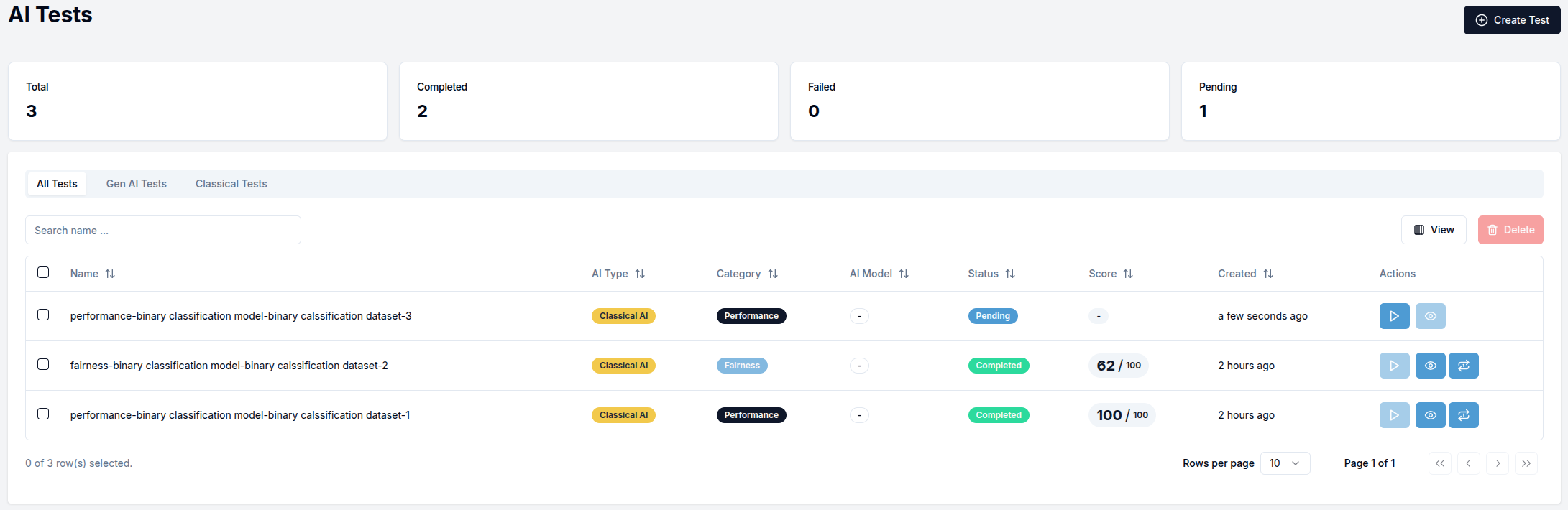
The test table includes three action icons:
- Play icon: Appears for tests in "Pending" status and starts the test execution
- Eye icon: Appears for successfully completed tests and opens the test results view
- Replay icon: Appears for completed tests and allows you to run the same test again
Creating a Classical AI Test
The test creation page requires you to configure several components:
-
Select
Classical AI Testingas the AI type -
Configure the Settings section:
- Select a
Project - Choose a test
Category(Performance, Fairness, or Security) - Select your
AI Model Version - Choose a
Dataset Version - For "Fairness" tests, additional configuration options will appear
- Select a
-
Define Favorable Labels (only for fairness tests):
- Select which target values are considered favorable outcomes
-
Configure Metrics:
- Default metrics are pre-selected based on your test category
- Each metric has adjustable lower and upper thresholds
- Some metrics have additional parameters accessible via the
Parametersbutton
Below is an example of a Performance category test configuration:
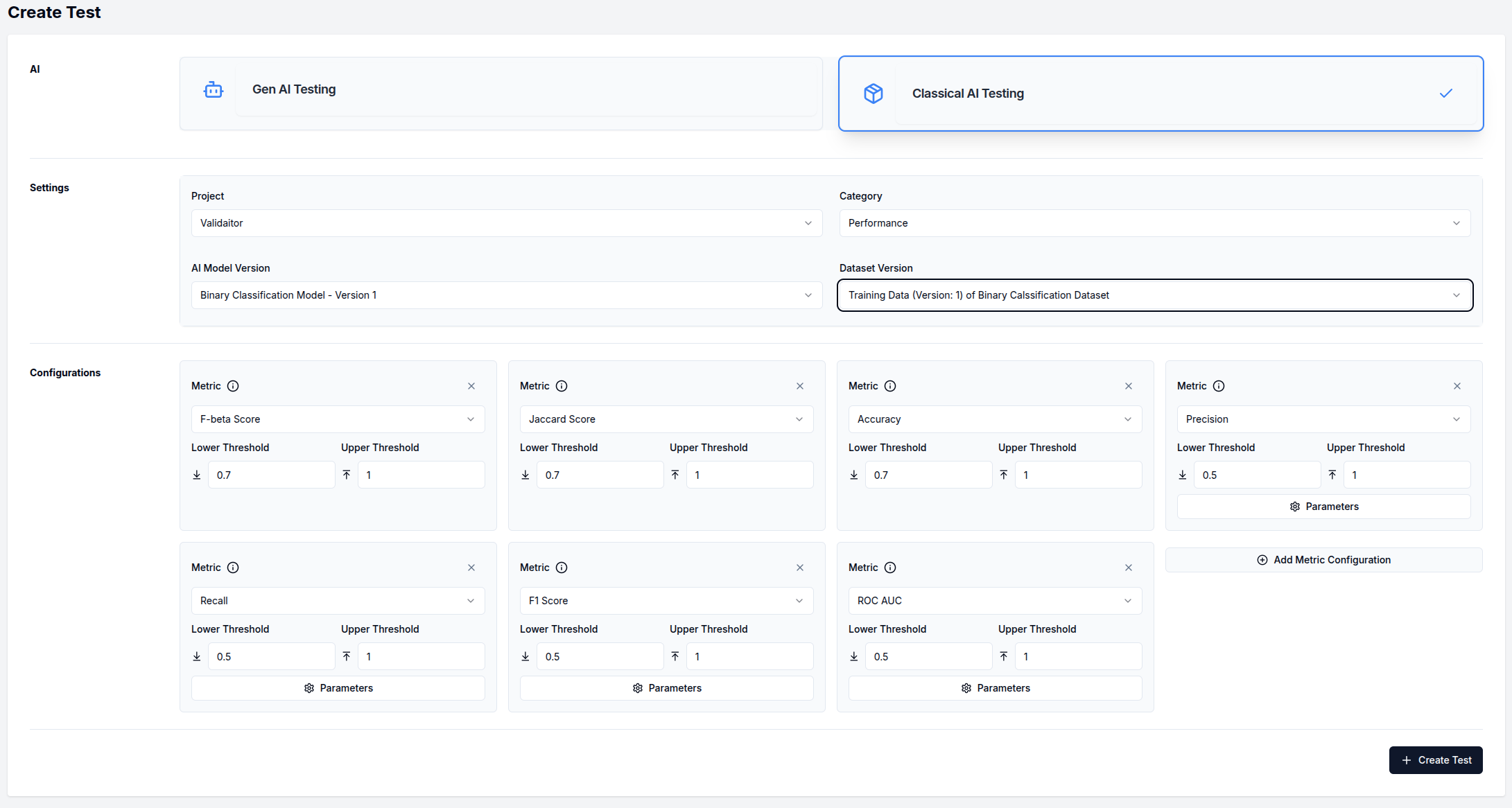
After configuring your test, click the Create Test button in the bottom right corner. Then start the test execution by clicking the "play" icon in the test table. Once completed, view the results by clicking the "eye" icon.
Classical AI Test Details
The test details page provides comprehensive information about the test execution and results:
- The top section displays three information cards with test metadata
- In the rightmost card, you can click on the AI model version or dataset version name to navigate to their respective detail pages
The details page contains three tabs:
Results Tab
This tab shows the overall test outcomes with individual metric scores displayed in cards:
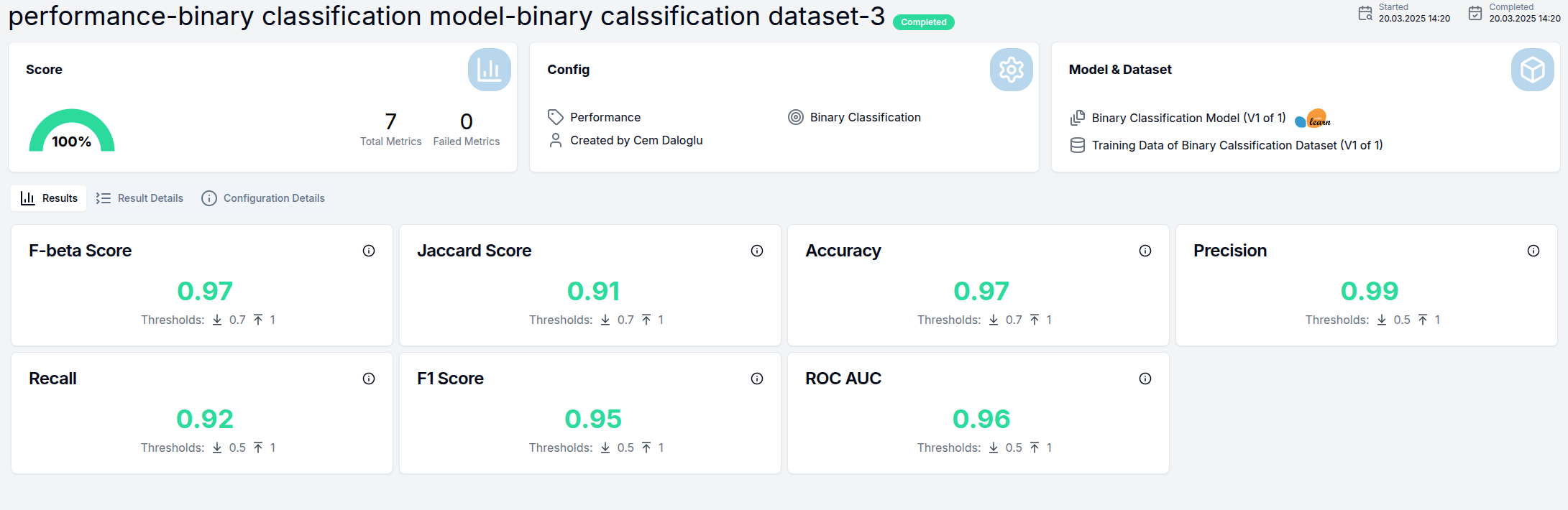
Each metric card includes:
- The metric name
- The calculated score
- Visual indicators of whether the score meets the defined thresholds
Result Details Tab
This tab provides deeper analysis of test results through visualizations:
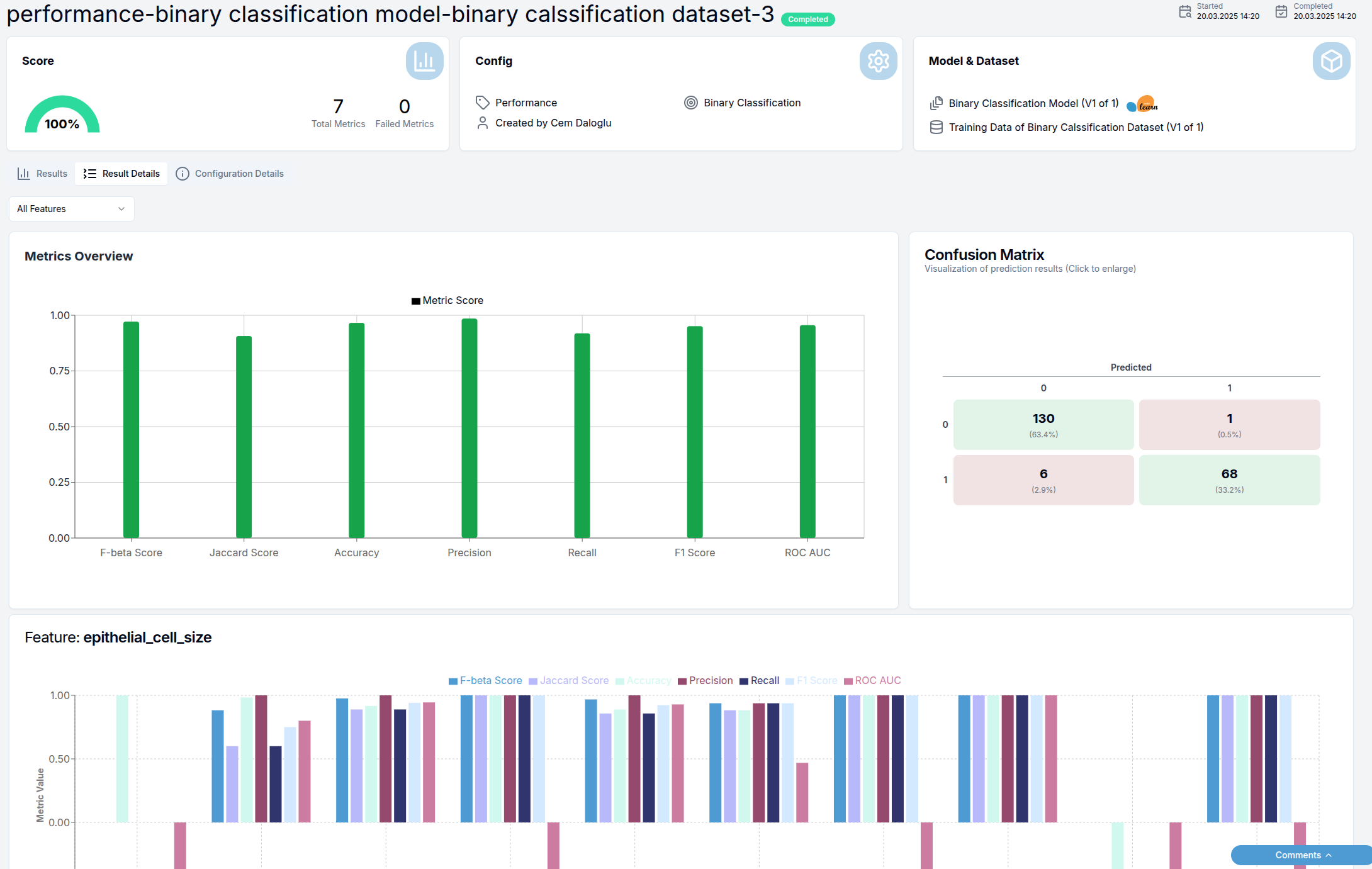
The visualizations include:
- Bar charts showing general metric scores
- Confusion matrix (for classification models)
- Feature slice analysis showing metric scores across different feature values
- Statistical distributions relevant to the test category
Note that this tab may not be available for all test categories.
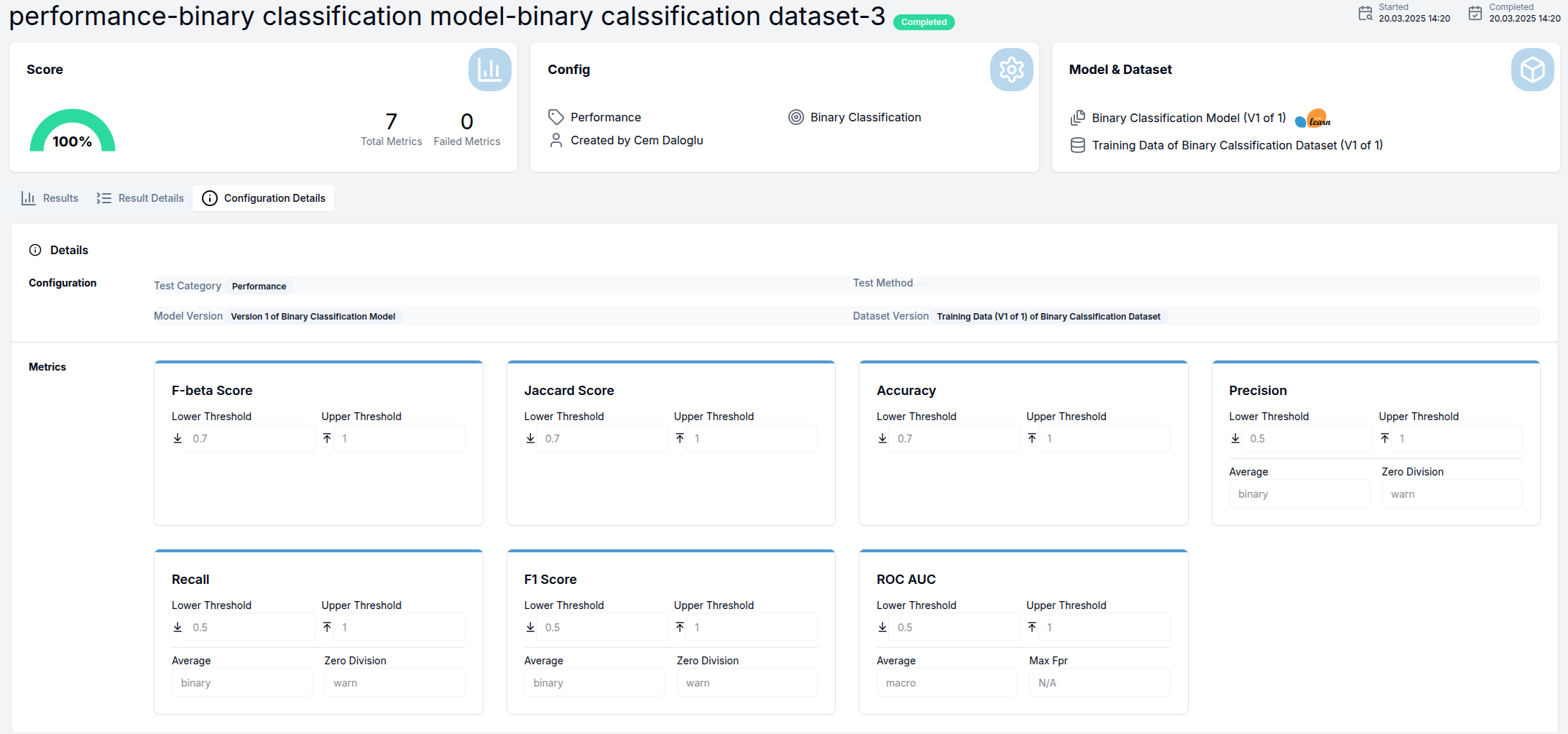
Configuration Details Tab
This tab displays the complete test configuration including:
- All selected metrics
- Threshold settings for each metric
- Parameter values for configurable metrics
Test Categories
Performance
Performance tests evaluate the overall quality and accuracy of AI models. These tests measure how well a model performs its intended task by comparing predictions against ground truth labels.
Common performance metrics include:
- Accuracy
- Precision
- Recall
- F1-score
- Mean Absolute Error (for regression)
- Root Mean Squared Error (for regression)
Fairness
Fairness tests can be done both on AI model versions and dataset versions. The steps for testing model versions and dataset versions differ.
AI Model Version
Fairness model tests assess whether an AI model provides equitable outcomes across different demographic groups or protected attributes. These tests help detect bias in model decision-making.
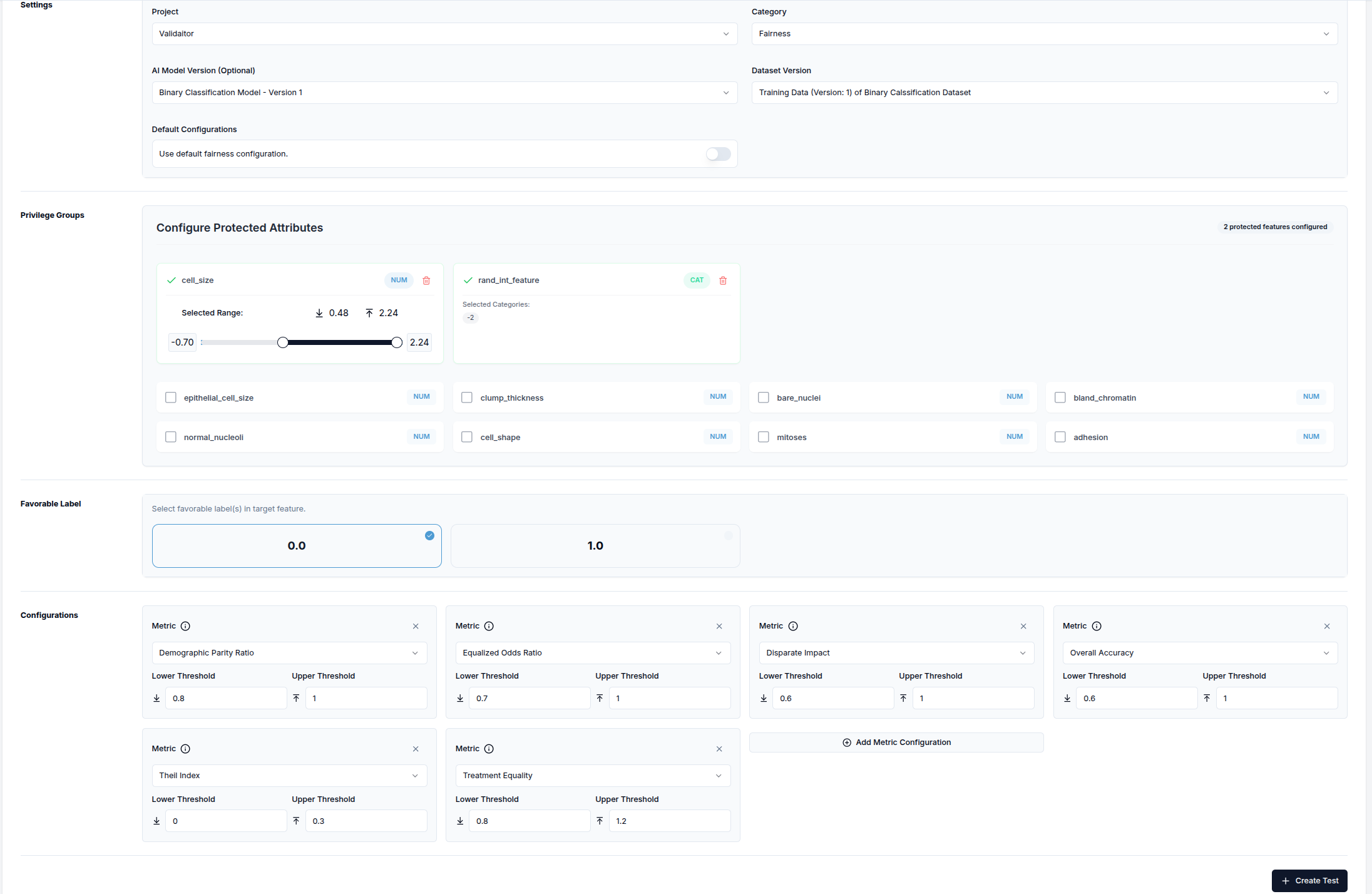
When selecting the Fairness category:
- The
Default Configurationssection appears (can be disabled if not needed) - If default configurations are disabled, the
Privileged Groupssection appears - Select features and adjust privileged value ranges for each
- Choose favorable label(s) from the target feature
- Select the fairness metrics to evaluate
Dataset
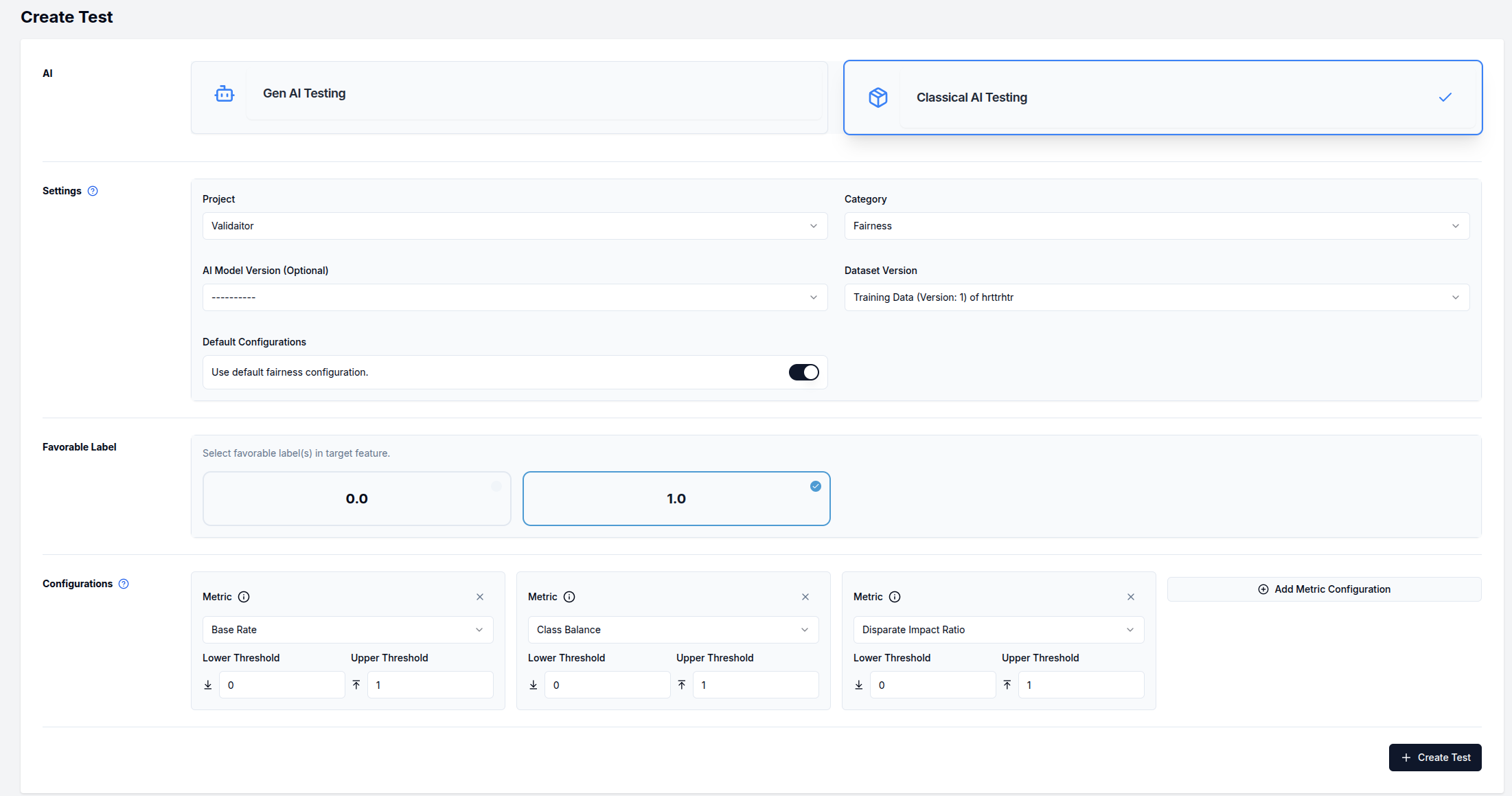
Fairness dataset tests examine the inherent balance and equity within your data, helping you identify potential biases before model training.
When testing dataset versions for fairness, follow the same process as above with one key difference: you do not need to select an AI model version. Either leave the AI model version field at its default state or explicitly select the "---" option from the dropdown menu.
Security
Security tests evaluate an AI model's resilience against adversarial attacks and other threats. These tests assess model robustness to manipulated inputs and resistance to unauthorized manipulation.
Adversarial Robustness Attacks
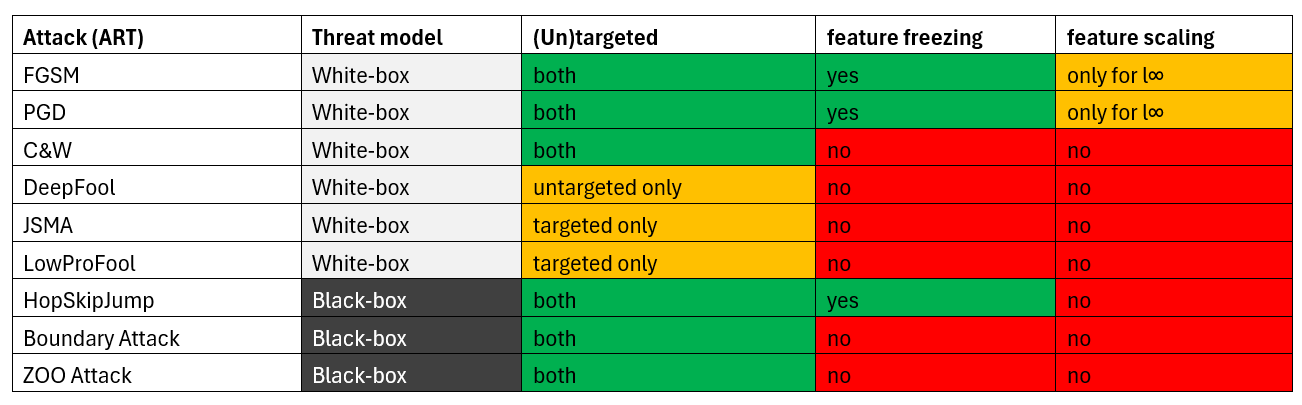
Adversarial robustness attacks are grouped by Threat Model, which defines the adversary's assumed capabilities:
White Box Attacks (adversary has full knowledge of the model and access to gradients):
-
FGSM (Fast Gradient Sign Method)
- A simple one-step attack that perturbs input in the direction of the gradient of the loss function
- https://arxiv.org/abs/1412.6572
-
PGD (Projected Gradient Descent)
- An iterative extension of FGSM applying multiple small gradient-based perturbation steps
- https://arxiv.org/abs/1706.06083
-
CWL2 (Carlini & Wagner L2 Attack)
- A strong optimization-based attack minimizing perturbation in the L2 norm
- https://arxiv.org/abs/1608.04644
-
CWLInf (Carlini & Wagner L∞ Attack)
- A CW variant minimizing perturbation under L∞ norm constraint
- https://arxiv.org/abs/1608.04644
-
DeepFool
- An iterative attack finding the closest decision boundary and moving samples slightly beyond it
- https://arxiv.org/abs/1511.04599
-
JSMA (Jacobian Saliency Map Attack)
- A targeted attack perturbing important features based on the model's Jacobian
- https://arxiv.org/abs/1511.07528
-
LowProFool
- An attack searching for adversarial perturbations in low-dimensional subspaces
- https://arxiv.org/abs/1911.03274
Black Box Attacks (adversary has no access to model gradients):
-
HopSkipJump
- A query-efficient attack estimating gradients using boundary information
- https://arxiv.org/abs/1904.02144
-
Boundary
- A decision-based attack starting from large perturbations and iteratively reducing them
- https://arxiv.org/abs/1712.04248
-
ZOO (Zeroth Order Optimization)
- A black-box attack approximating gradients using finite differences
- https://arxiv.org/abs/1708.03999