AI System
This page provides an overview of AI systems, including their definition, how to create them, and their role in testing and compliance.
AI System Creation
When no AI systems exist, the AI system table will be empty. You can create a new AI system by clicking the Add AI System button located at the top-right corner of the page.
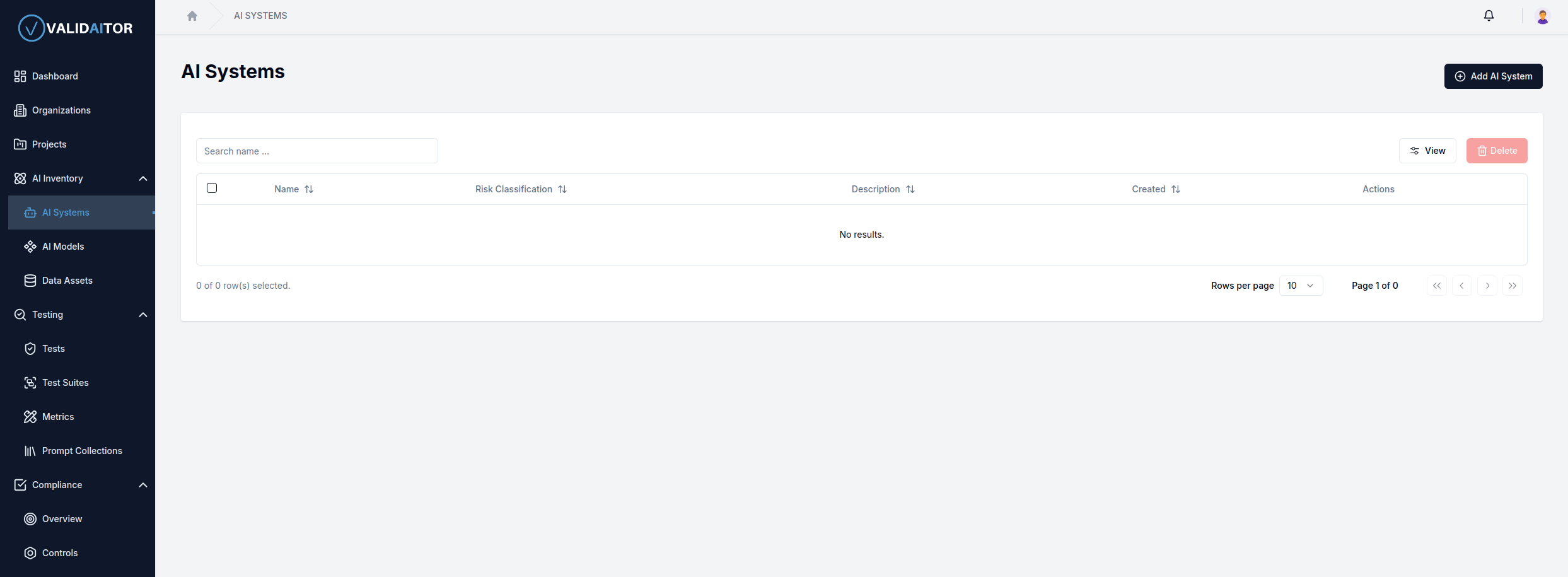
After clicking the Add AI System button, you will be redirected to a form where you can provide the necessary details to create an AI system.
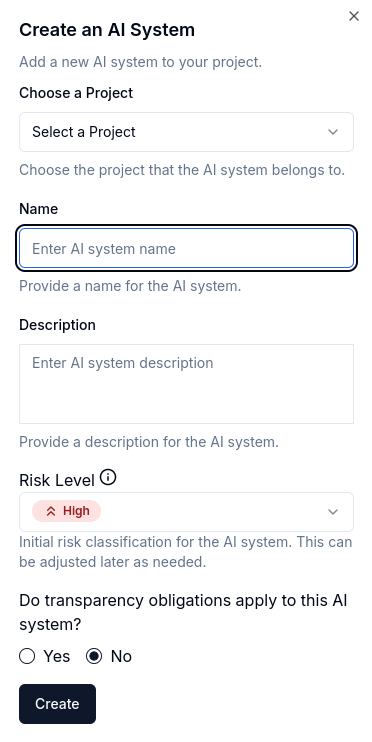
Step-by-Step Guide
1. Select a Project
The first step is to select a project for the AI system. If you haven't created a project yet, you can create one by clicking the Create Project button.
2. Enter a Name
Provide a name for the AI system. The name should be concise and descriptive.
3. Add a Description
Briefly describe the AI system, focusing on its primary purpose. This should be a short summary, as there will be additional fields for more detailed information, such as goals and use cases.
4. Select the Risk Level
Determine the appropriate risk level for your AI system based on the guidelines outlined in the EU AI Act. There are four distinct risk levels, each reflecting the potential impact and regulatory requirements of the system.
-
Unacceptable Risk: These systems are deemed the most harmful and are generally prohibited within the EU. Examples include AI applications that exploit vulnerabilities in human behavior, such as subliminal manipulation or AI-driven social scoring systems. For more details on this category, refer to EU AI Act Article 5.
-
High Risk: These AI systems carry significant potential for harm and are heavily regulated under the EU AI Act. They are typically used in critical areas such as healthcare, education, employment, or law enforcement. For instance, AI-powered recruitment tools, medical diagnostic systems, or biometric identification fall under this category. Detailed guidelines are available in EU AI Act Annex III.
-
Minimal Risk: AI systems in this category pose the least potential harm and are subject to no mandatory obligations under the EU AI Act. Examples include spam filters, content recommendation engines, or basic automation tools. Although these systems are not regulated, adhering to general ethical principles, such as fairness, non-discrimination, and human oversight, is encouraged to maintain best practices.
By carefully evaluating your system’s functionality and purpose, you can assign the appropriate risk level.
5. Determine Transparency Obligations
This category applies to AI systems with potential risks of manipulation or deception. Such systems must adhere to transparency requirements, ensuring that users are explicitly informed when interacting with AI, unless it is inherently obvious. Examples include generative AI systems, chatbots, and deepfakes. For instance, AI-generated content should clearly indicate its source, and users engaging with chatbots should be made aware that they are interacting with an AI system. Detailed guidelines are available in EU AI Act Article 50
Evaluate whether your AI system falls under these transparency obligations. Select Yes if it does.
6. Create the AI System
Once you are confident in your answers, click the Create button located at the bottom left of the page. Please note that the risk level can be adjusted later if needed.
AI System Detail Page
After creating a new AI system, it will appear in the table as shown below:
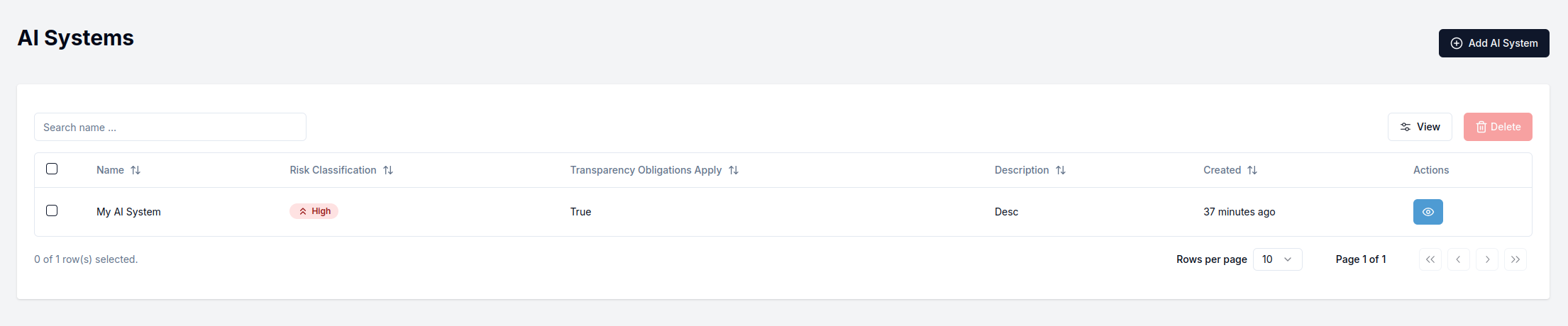
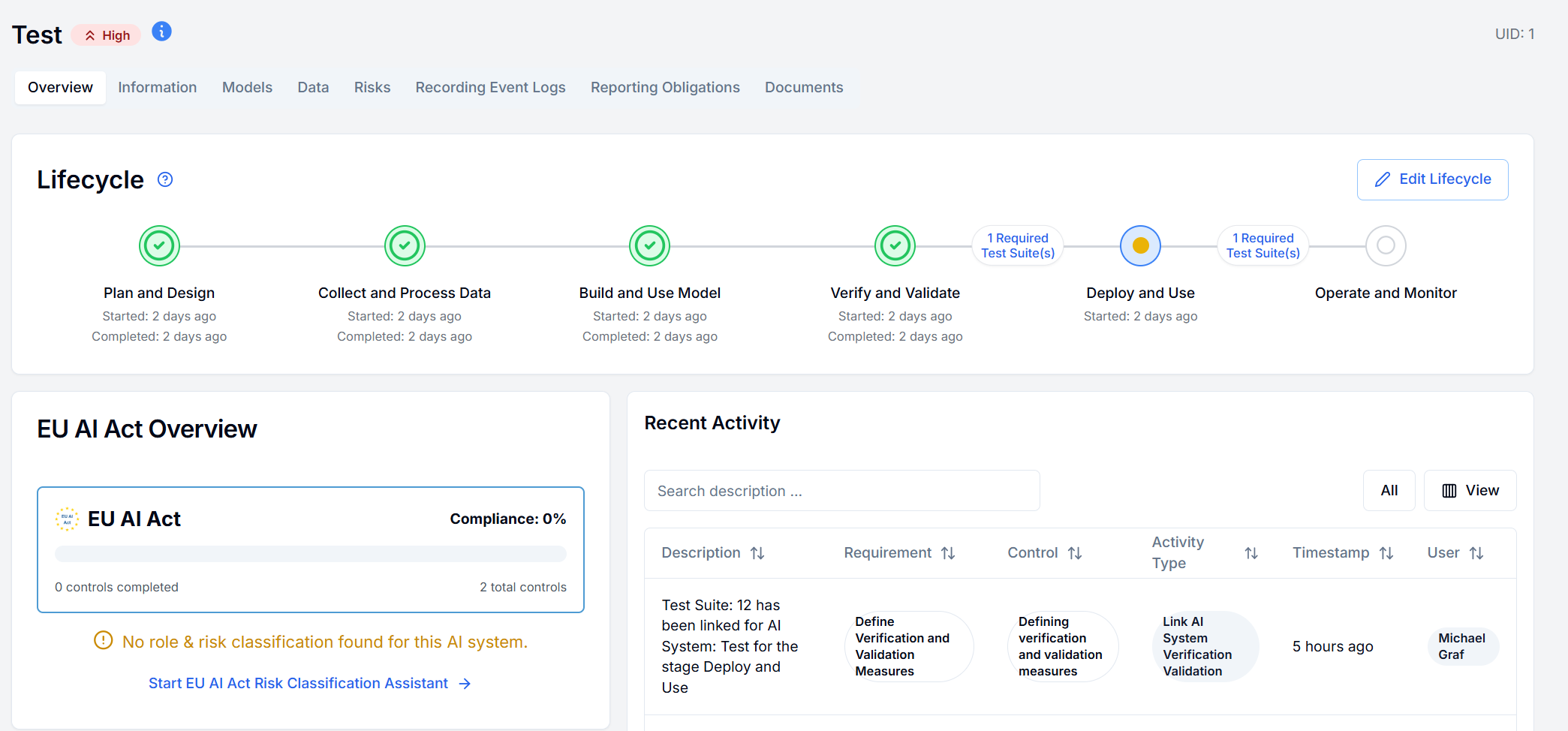
To view the details of your AI system, click the eye icon located on the right side of the table entry for your AI system. The detail page will look like this:
Lifecycle Stages and Policies
The AI system detail page also displays the lifecycle stages and allows you to edit them as well as add policies test suites to govern the ability to progress between the different stages.
When clicking the Edit button you will be able to add, edit and delete lifecycle stages.
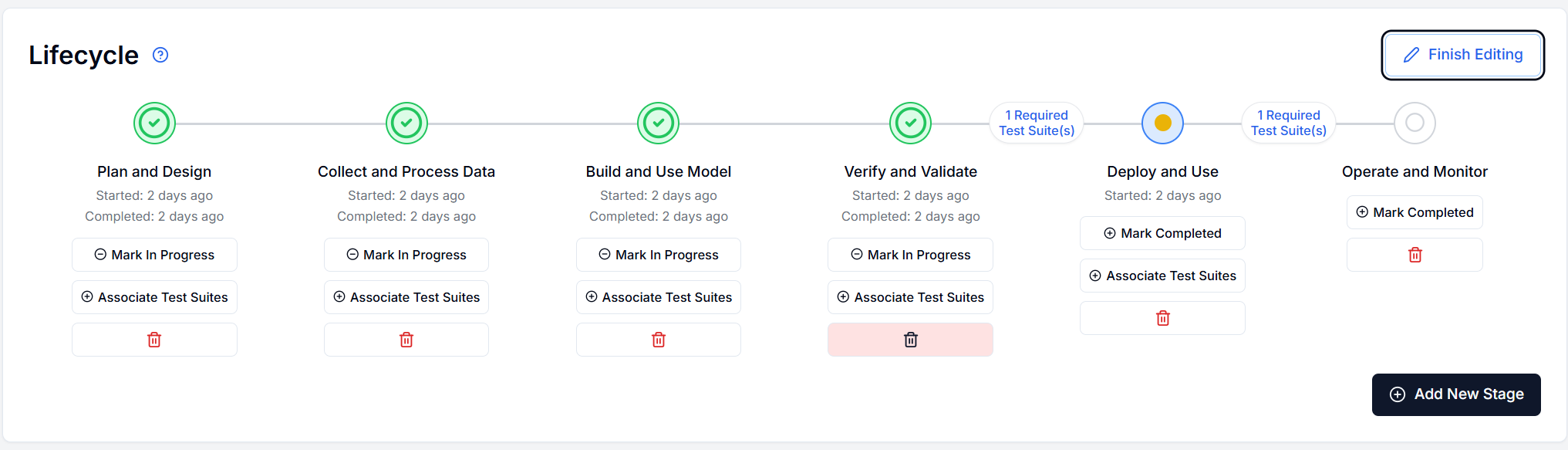 Additionally you can associate test suites with a lifecycle stage and AI model that is part of the system, to require the test suite to pass for every model in the system, to progress to the next stage.

Update Risk Level
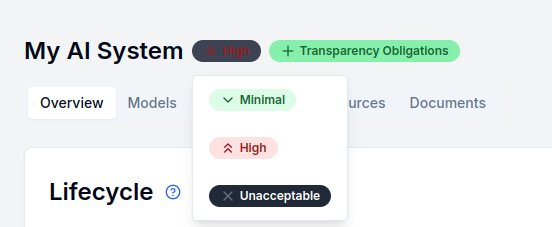
You can modify the risk level of your AI system directly from the detail page. Simply click on the risk level displayed next to your AI system's name to update it: